
Text/voice testing
Use the debug window to test answer accuracy, knowledge retrieval, speech synthesis, and basic call experience.
Text and voice modes
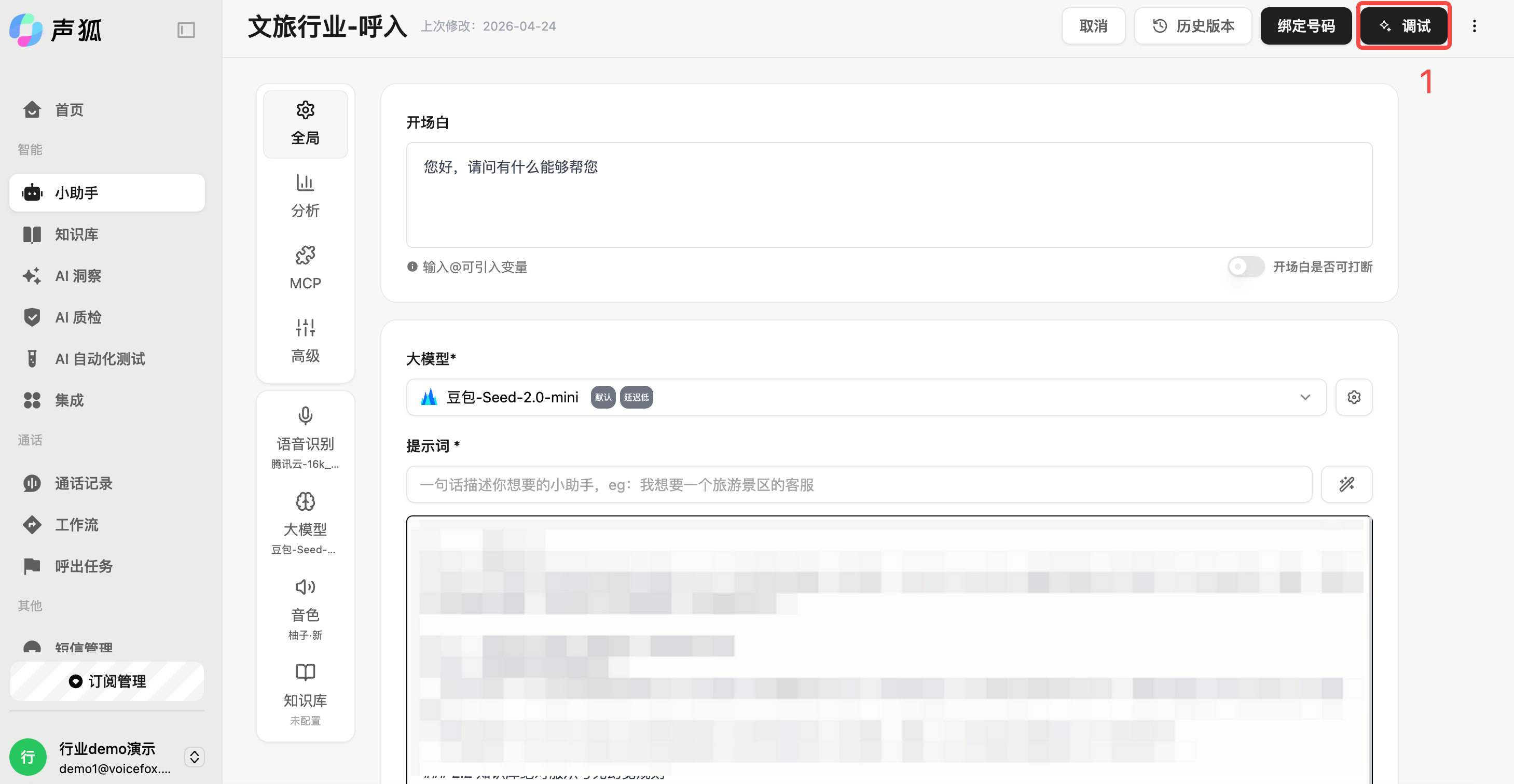
Open debugging
Path: Left sidebar → Assistant → Select assistant → Debug.
Switch modes
Text mode is useful for quickly testing prompts and knowledge answers. Voice mode is useful for ASR, TTS, interruption, silence handling, and overall call experience.
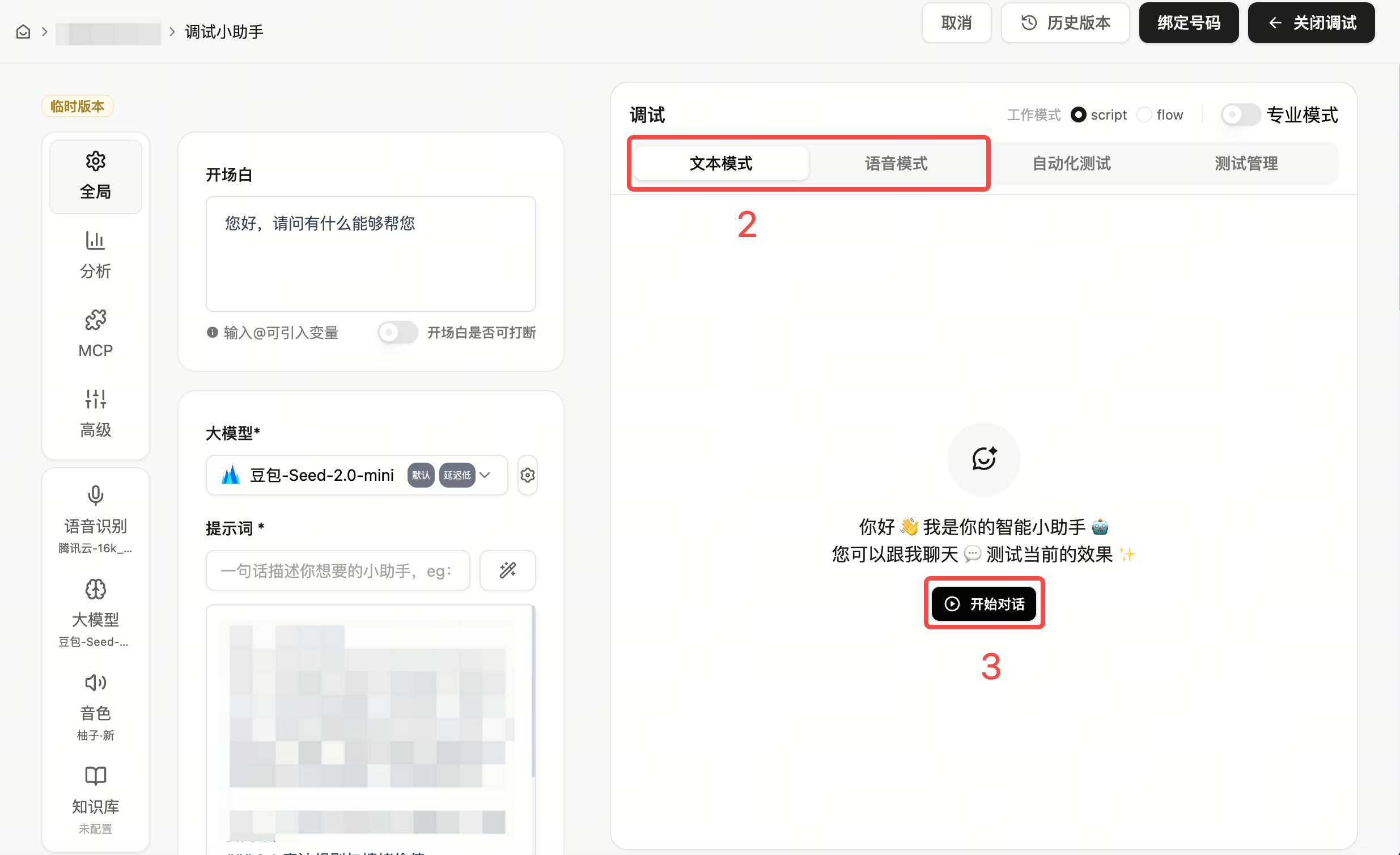
Run tests
Test frequent questions, boundary cases, and out-of-scope questions. Record wrong answers, missed knowledge, recognition errors, and handoff issues, then adjust prompt, knowledge base, workflow, or advanced settings.
Pass criteria
In-scope questions should be answered accurately, out-of-scope questions should not be fabricated, handoff should be reachable, and call records should include recording, ASR, and analysis results.
Next steps
- If the test does not pass, return to Create and configure an assistant, Create a workflow, or Chunk management.
- If the test passes and you are preparing for launch, read Launch overview.
- If you are preparing batch outbound calls, continue with Create an outbound task.