
Create an outbound task
Outbound tasks are used to call customer numbers in batches. An assistant can complete notifications, confirmations, follow-ups, and intent collection automatically.
Create, upload, and save
Create a task
Path: Left sidebar → Outbound tasks → Create outbound task.
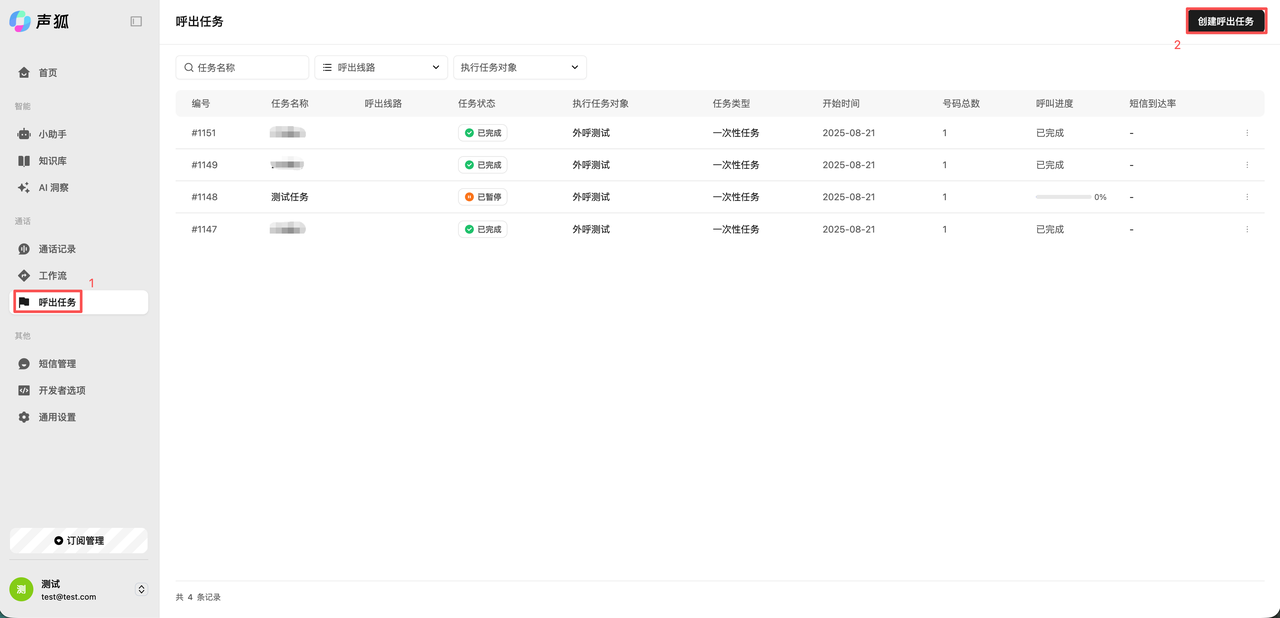
Fill in basic information
Enter task name, outbound line, task description, and related settings.
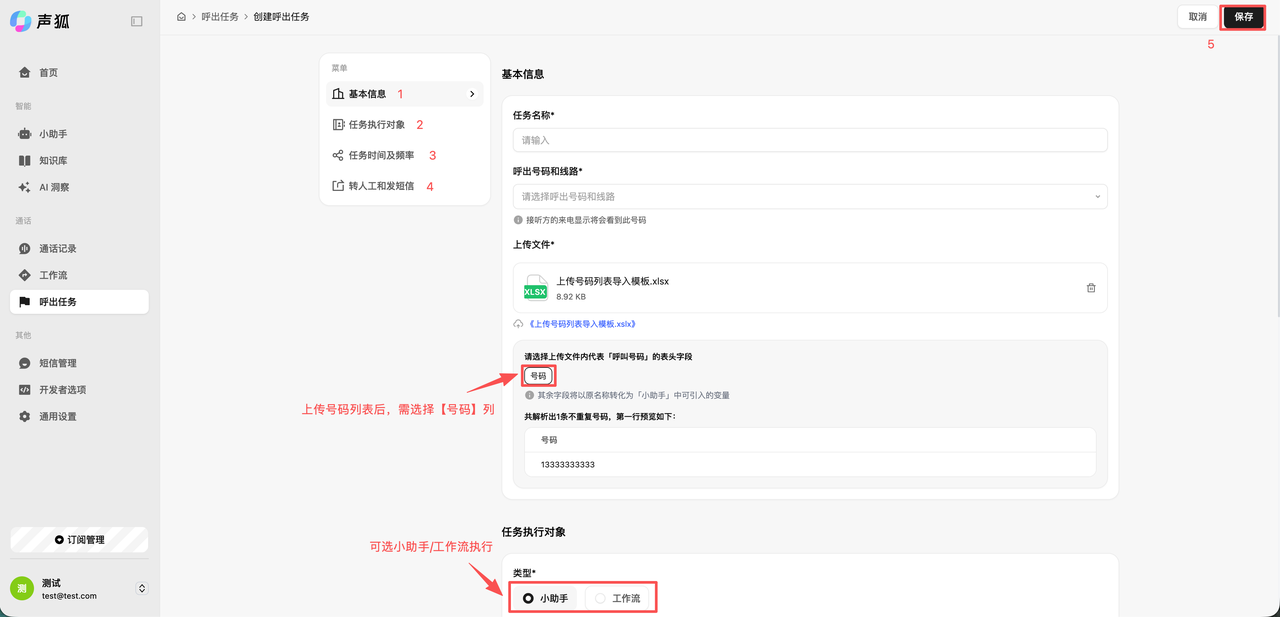
Upload an .xlsx, .xls, or .csv file. Use the system template when possible. Validate numbers after upload to check format, duplicates, and missing variables.
Select the assistant or workflow, then set start/end time and callable time windows.
Save the task
Save the task after confirmation. It will start or wait for execution based on platform status.
Checks
The task should be saved, number validation should pass, and task details should show progress, connected/unconnected results, and export options.
Next steps
- After the task runs, open Call logs to review recordings, ASR, and analysis results.
- To review overall trends, continue with AI insights.
- To export task results, read Export center.
- If the task cannot start or number validation fails, open Troubleshooting.