
Create a workflow
Workflow creation includes creating the workflow, choosing call direction, adding nodes, connecting nodes, configuring node parameters, saving, and publishing.
Create, orchestrate, and publish
Create a workflow
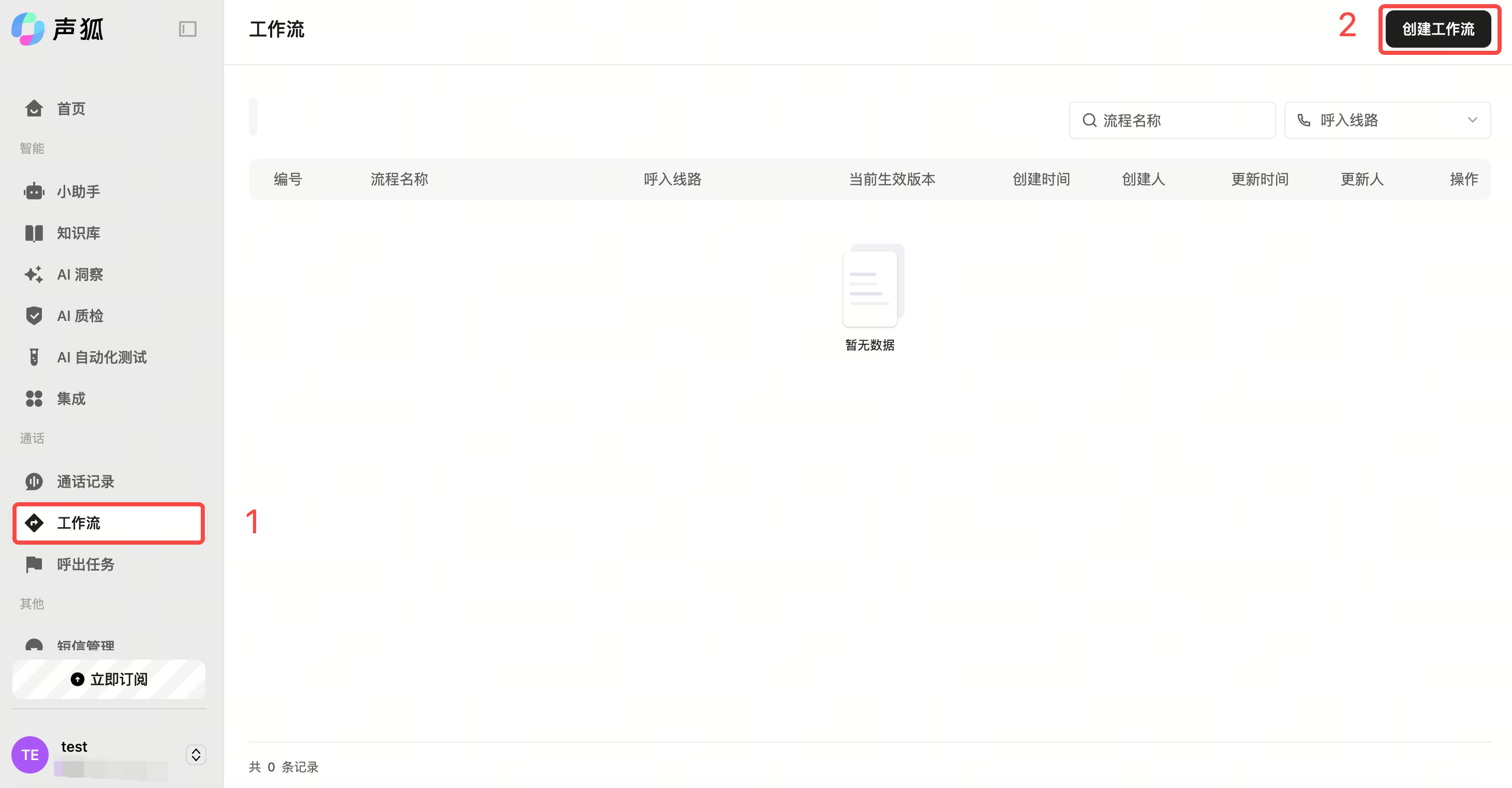
Path: Left sidebar → Workflow → Create workflow.
Choose call direction
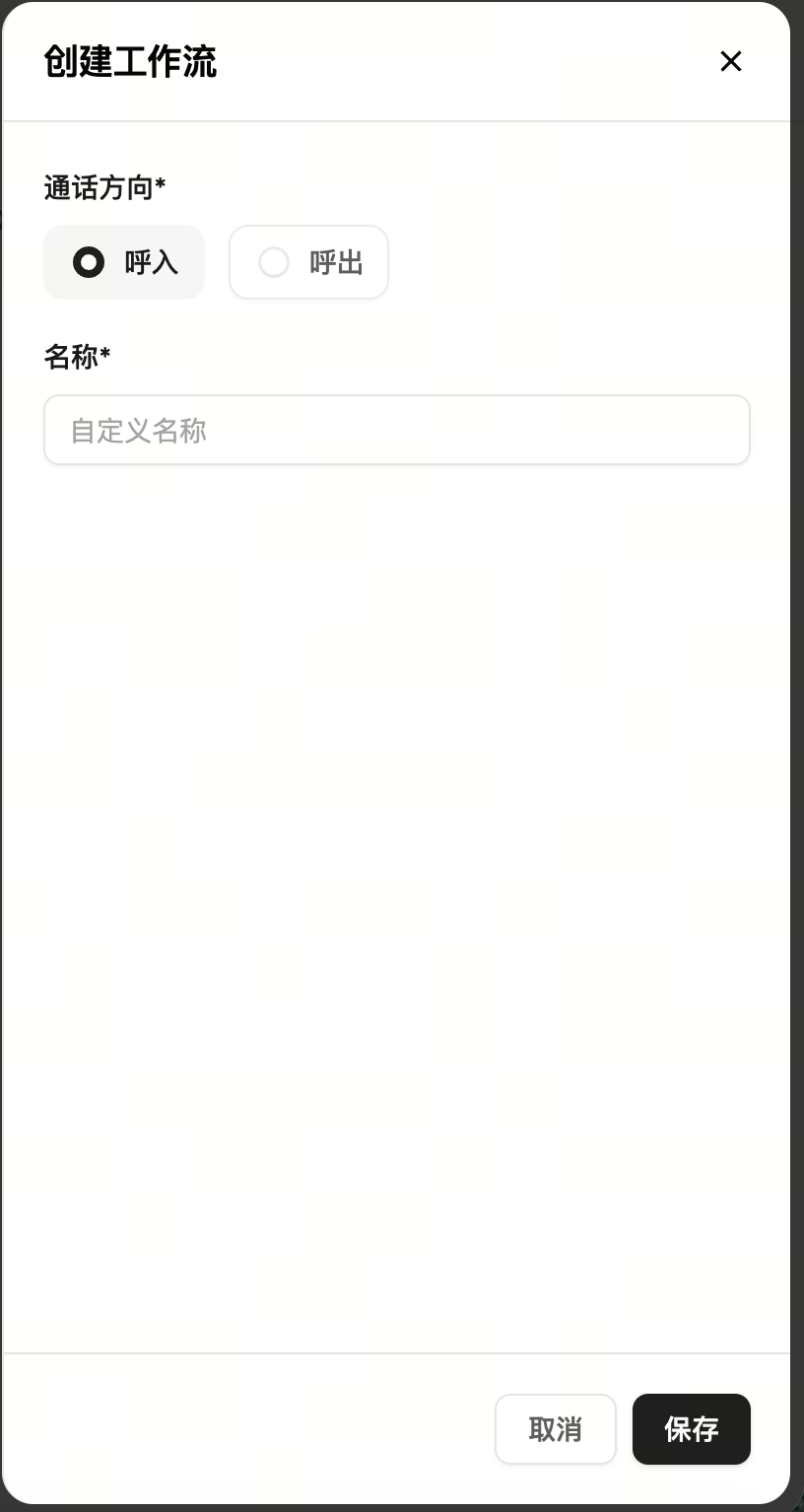
Choose inbound or outbound. Inbound is for customer-initiated calls; outbound is for company-initiated calls.
Add nodes
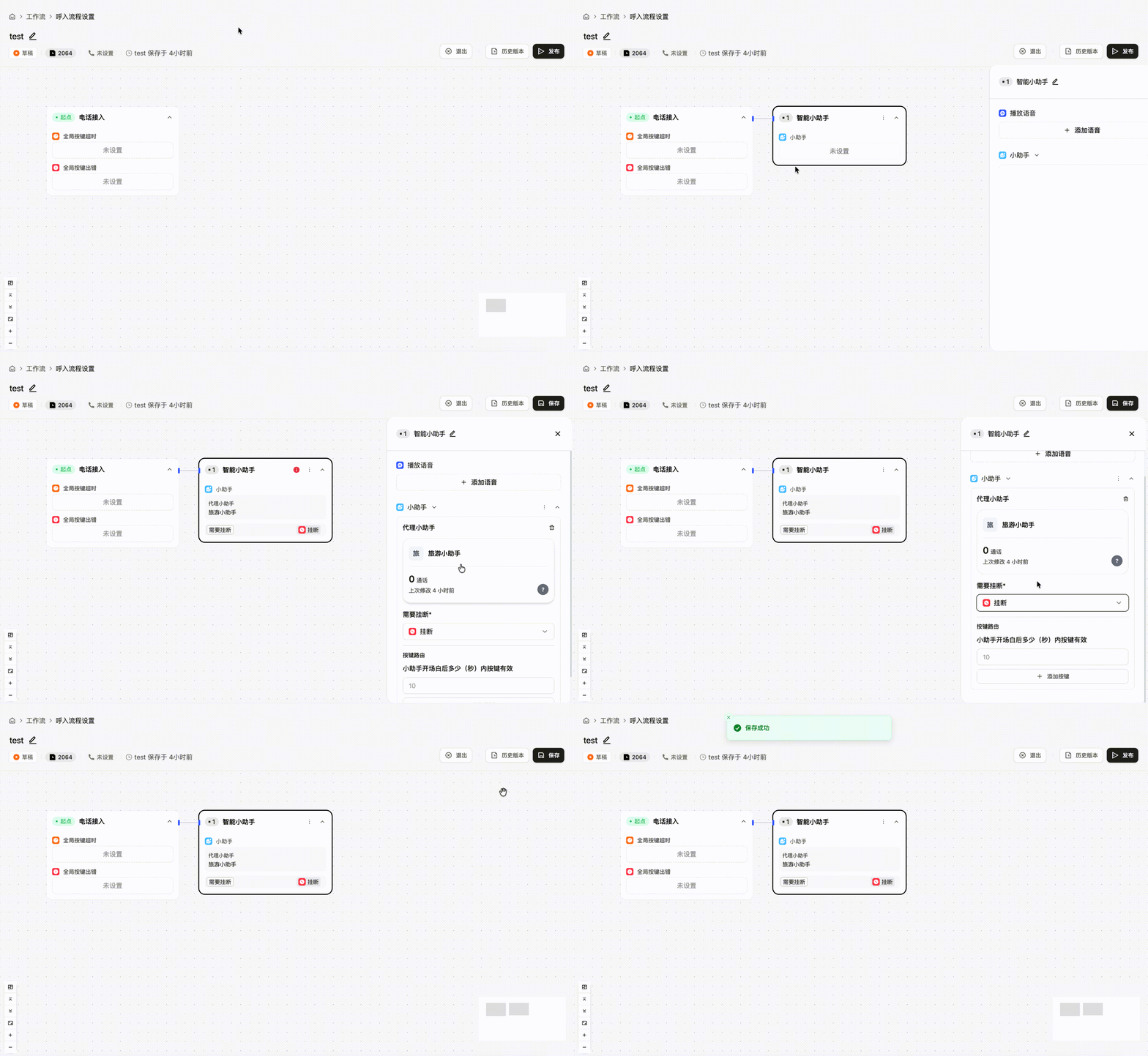
Use Add node in a previous node to add assistant, handoff, keypress, and other nodes.
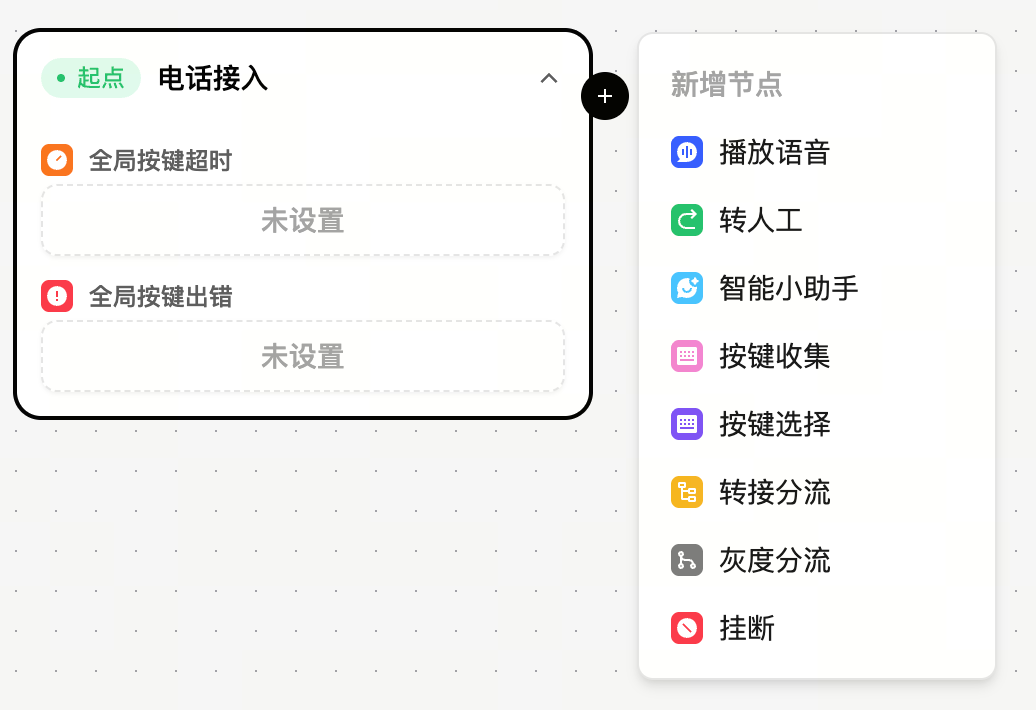
Node capabilities
| Node | Description | Example |
|---|---|---|
| Play audio | Play fixed audio | Fixed announcement |
| Handoff | Transfer to a human or number | Human service |
| Assistant | Use an assistant for conversation | AI service |
| Keypress collection | Collect numeric input | Verification code |
| Keypress selection | Branch by input | Business choice |
| Routing | Transfer to different lines | Team routing |
| Split | Segment callers for tests | Flow comparison |
| Hang up | End the call | Flow complete |
Save and publish
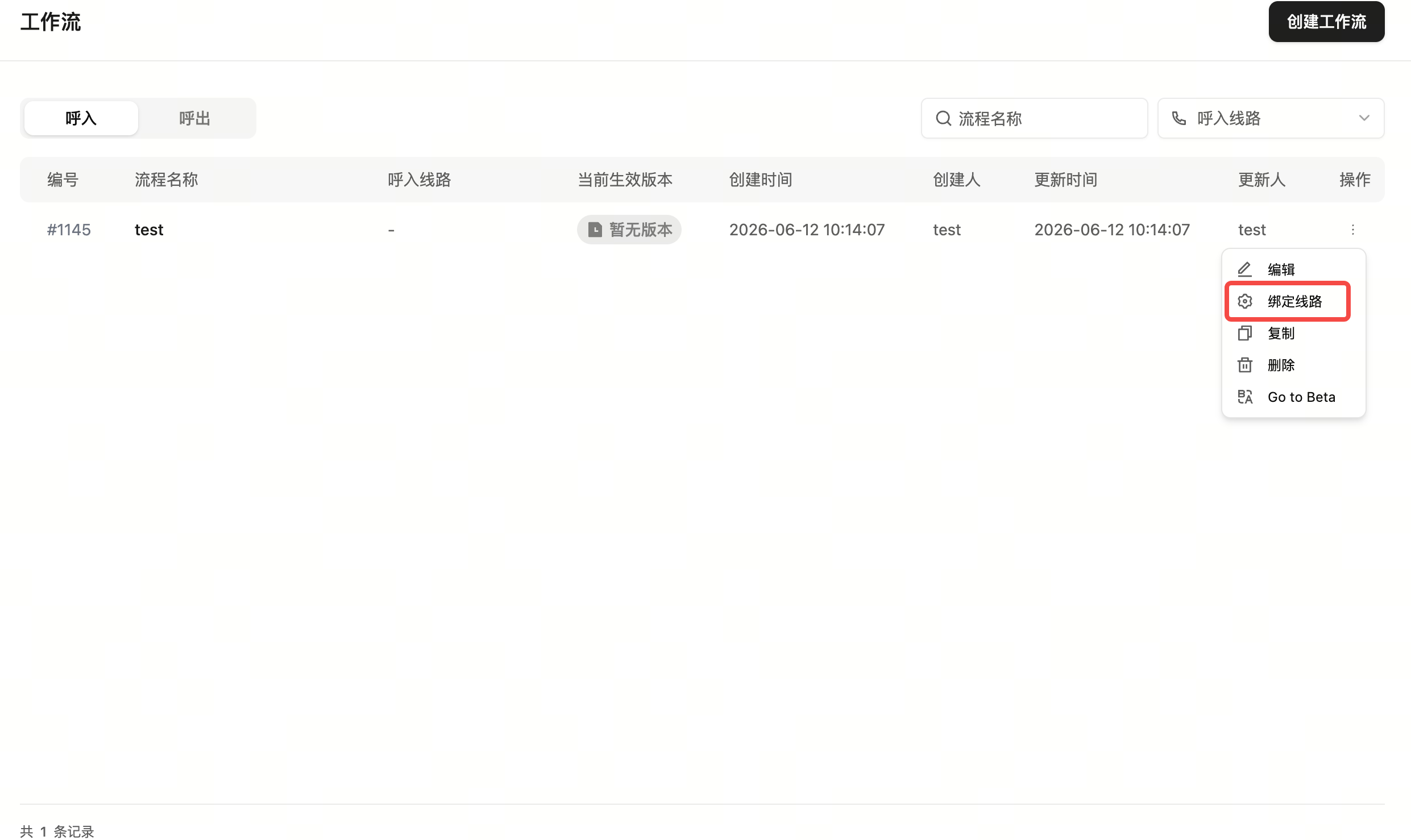
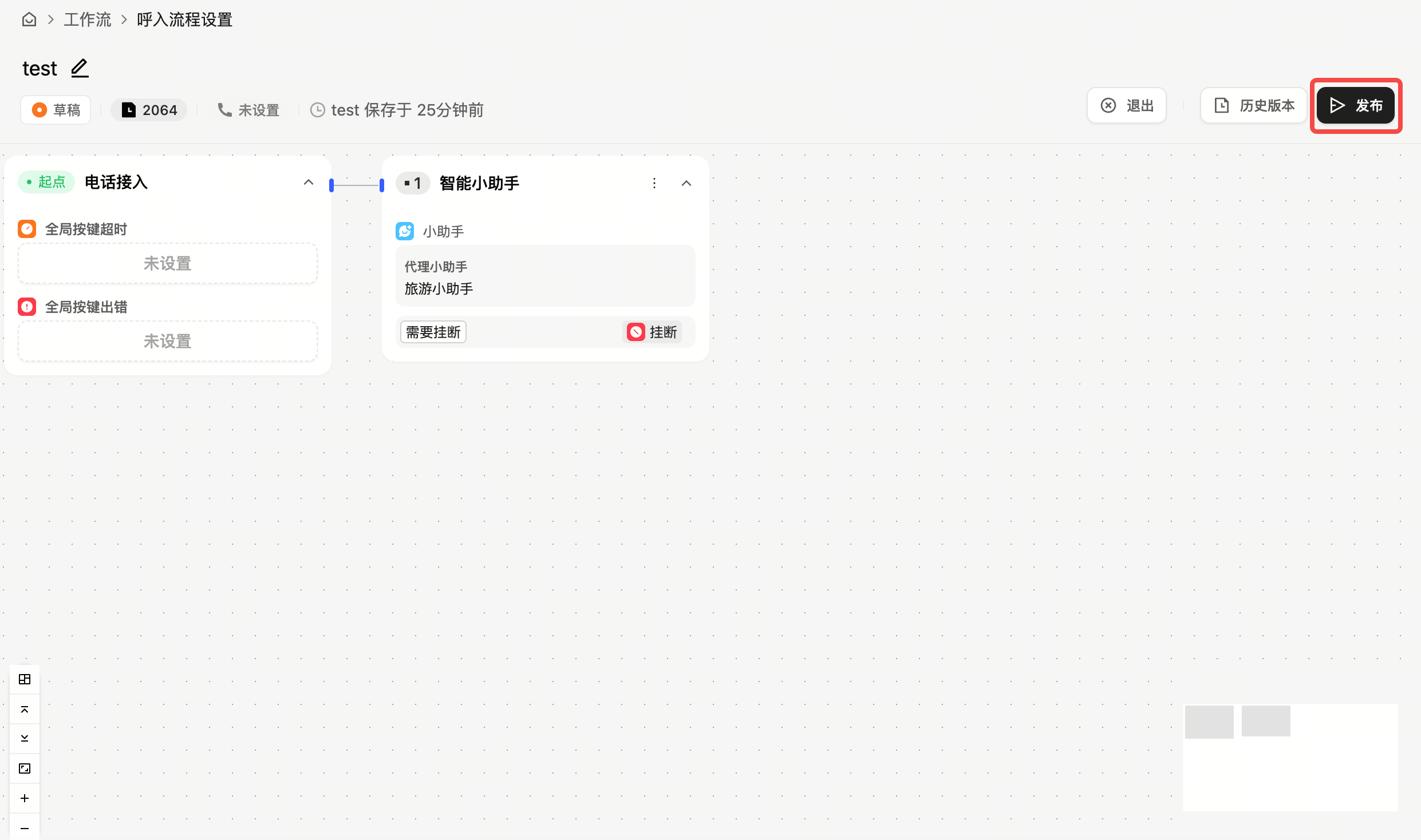
After configuration, bind a line and select the effective version from the workflow list, or save and publish from the workflow workspace.
Troubleshooting save and handoff issues
If handoff fails, check handoff information, business hours, assistant prompt, workflow connections, and line capability. If the workflow cannot be saved, check isolated nodes and required fields.