
Create and import a knowledge base
Knowledge files are the basis for assistant answers. After import, VoiceFox indexes the content and stores it as chunks.
Create, import, and check
Create a knowledge base
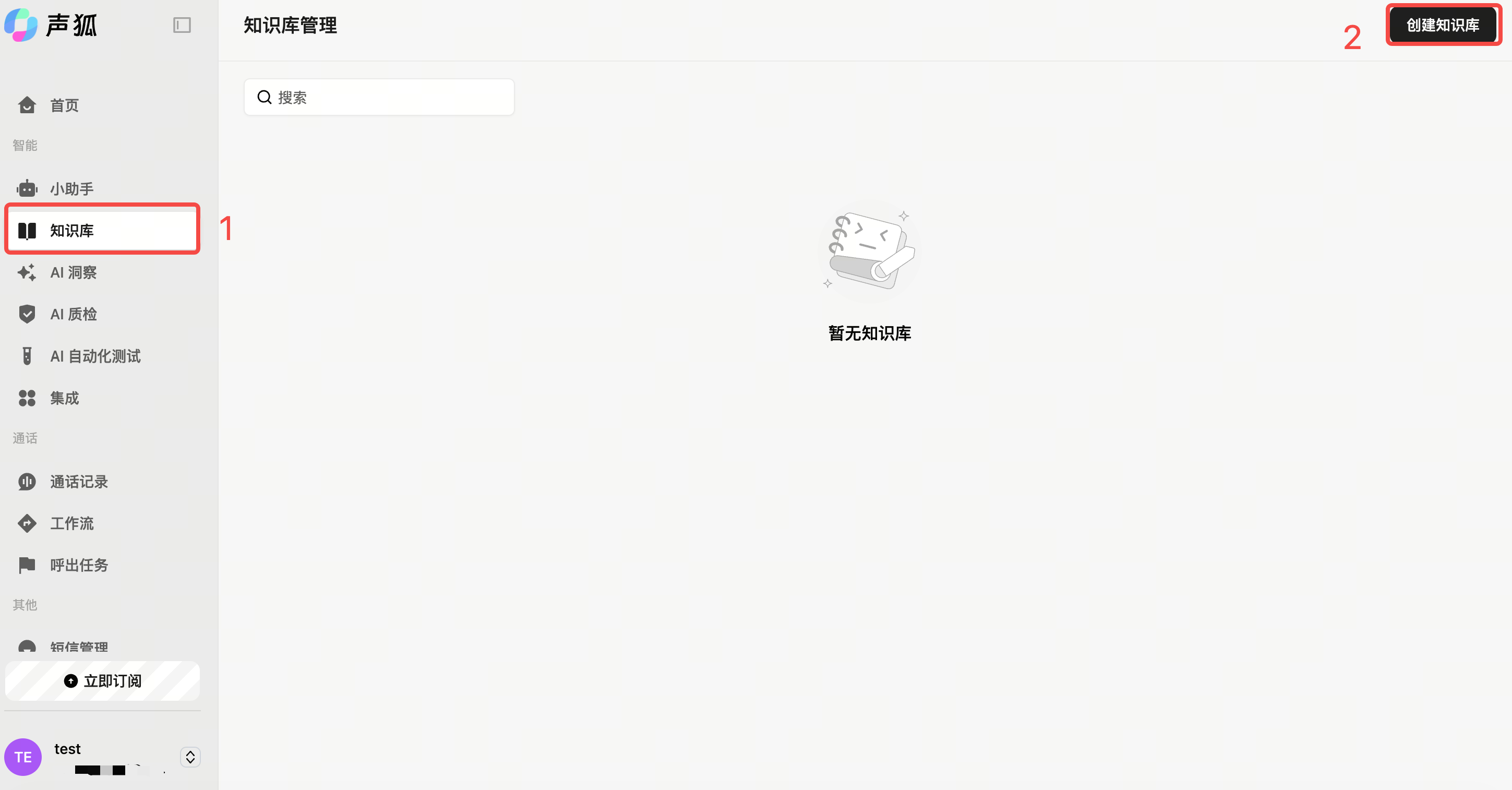
Path: Left sidebar → Knowledge base → Create knowledge base. Enter a name and save.
Add knowledge
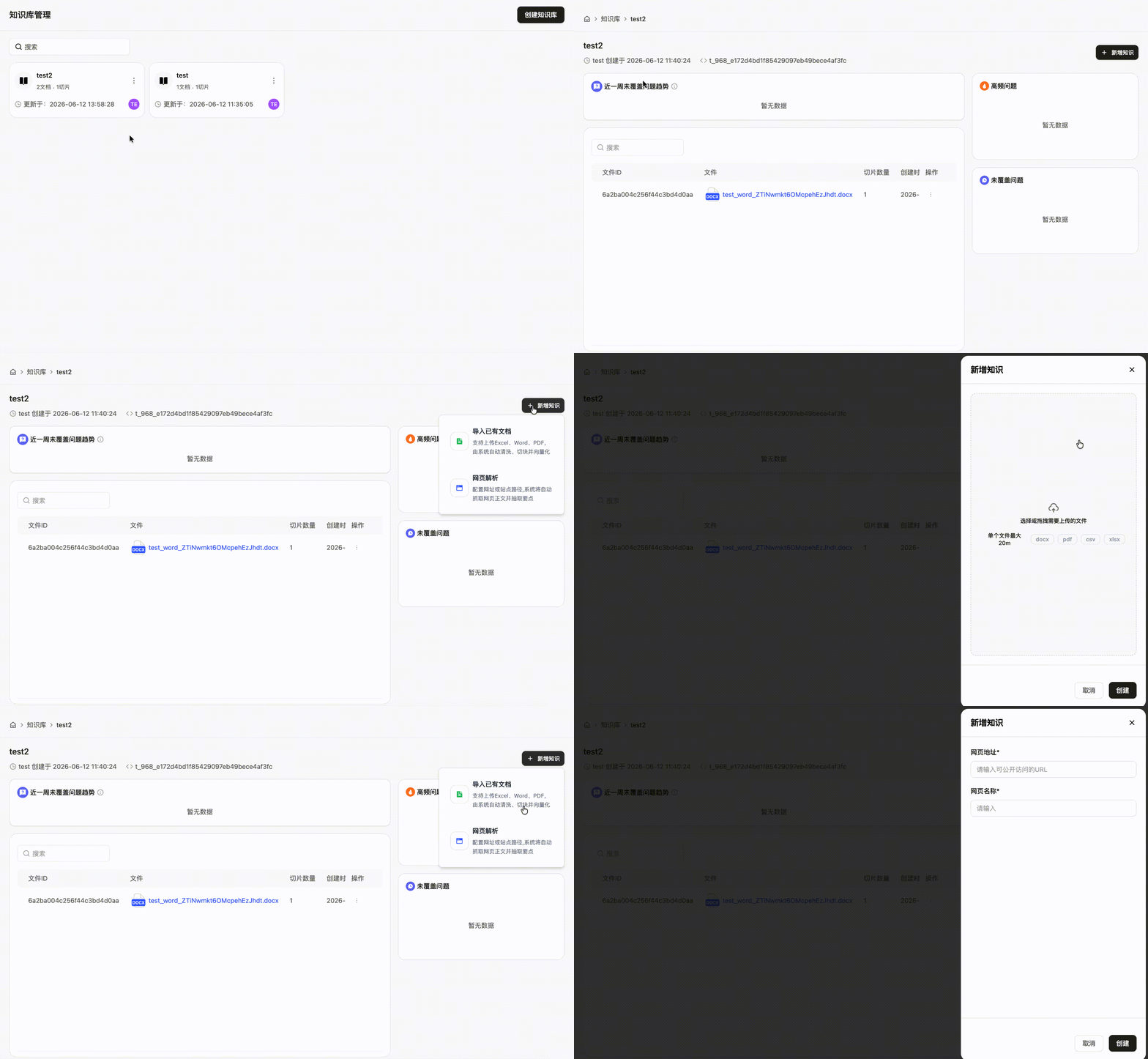
Open the knowledge base detail page, click Add knowledge, then import a document or parse a web page.
Check after import
Check whether chunks are garbled, too long, too short, irrelevant, or unsuitable for answering.
Maintenance
- Use Q&A templates for frequent questions.
- Split knowledge by scenario instead of putting everything into one knowledge base.
- Keep adding knowledge based on high-frequency missed questions.
Next steps
- To adjust chunks, continue with Chunk management.
- To connect the knowledge base to an assistant, return to Create and configure an assistant.
- After binding the knowledge base, run Text/voice testing to verify retrieval.
Import issues
If Excel upload fails, check file format, index column, and body start row. If web parsing returns no content, the page may have restrictions; document import is usually more reliable.