
AI quality inspection
AI quality inspection generates reports from call recordings and transcripts, including scores, issue causes, and improvement suggestions.
Create a task and view report
Create an inspection task
Path: Left sidebar → AI quality inspection → Create task.
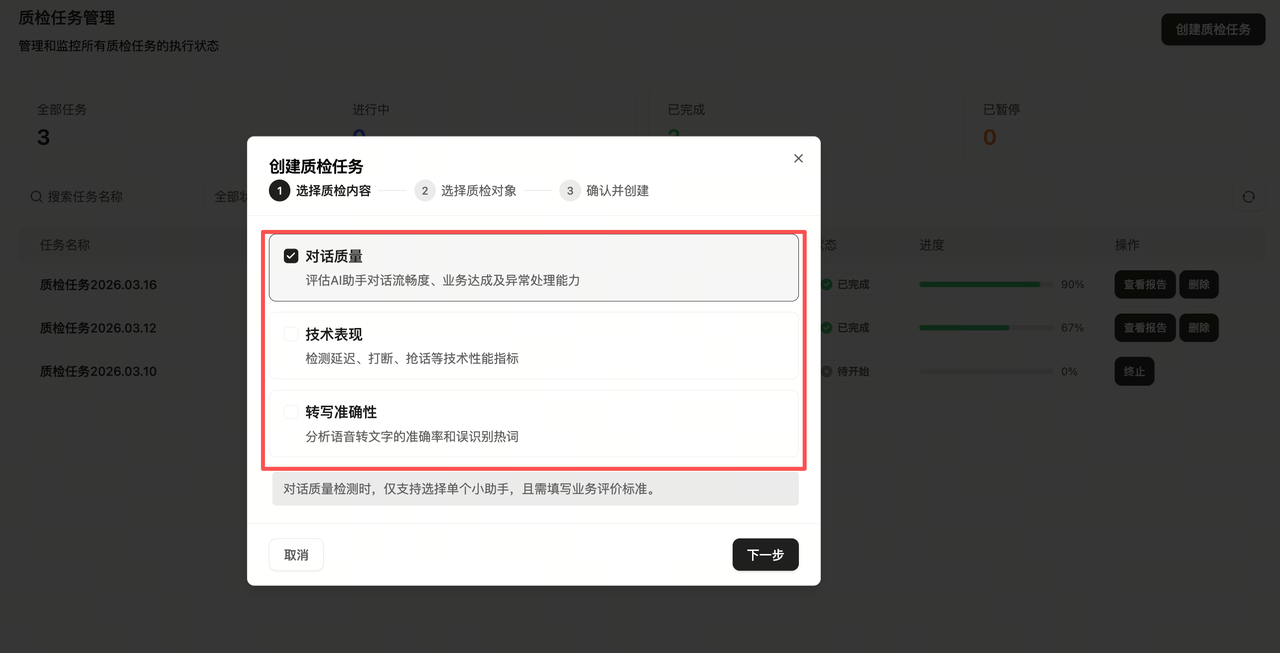
Select inspection content
Choose dimensions such as conversation quality, technical performance, or transcription accuracy.
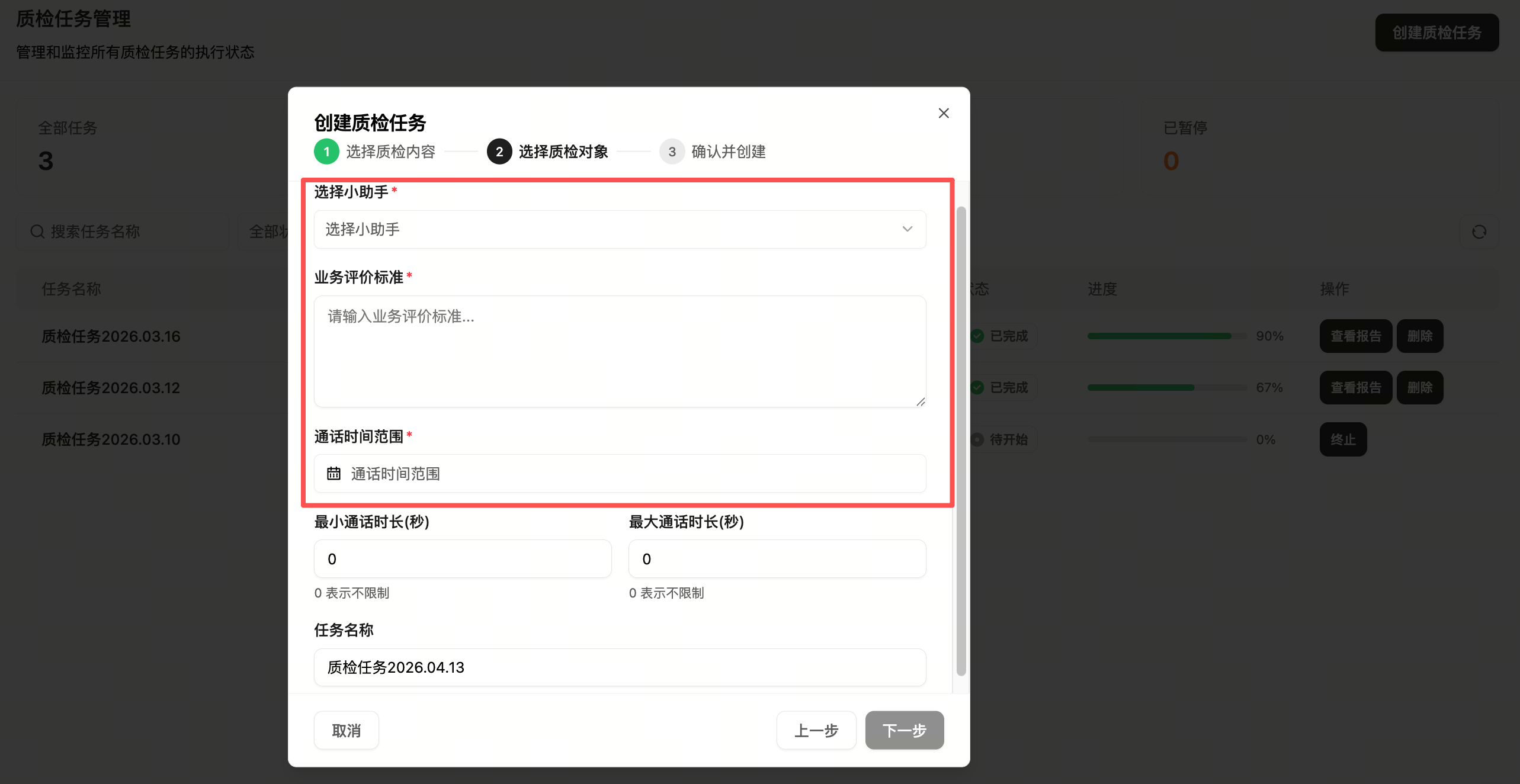
Select inspection object
Select an assistant, add evaluation criteria, and choose a call time range.
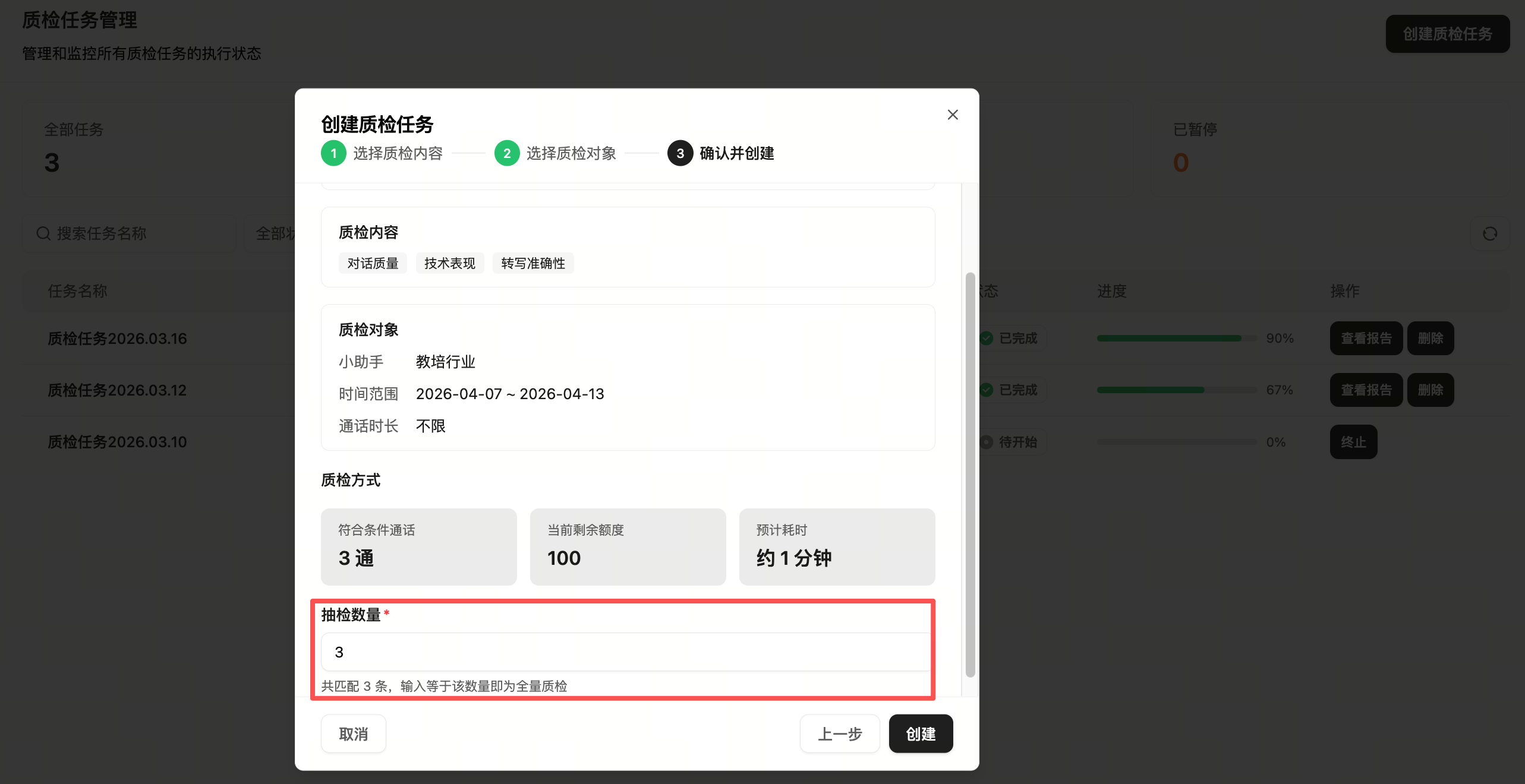
Confirm and create
Choose partial sampling or full inspection.
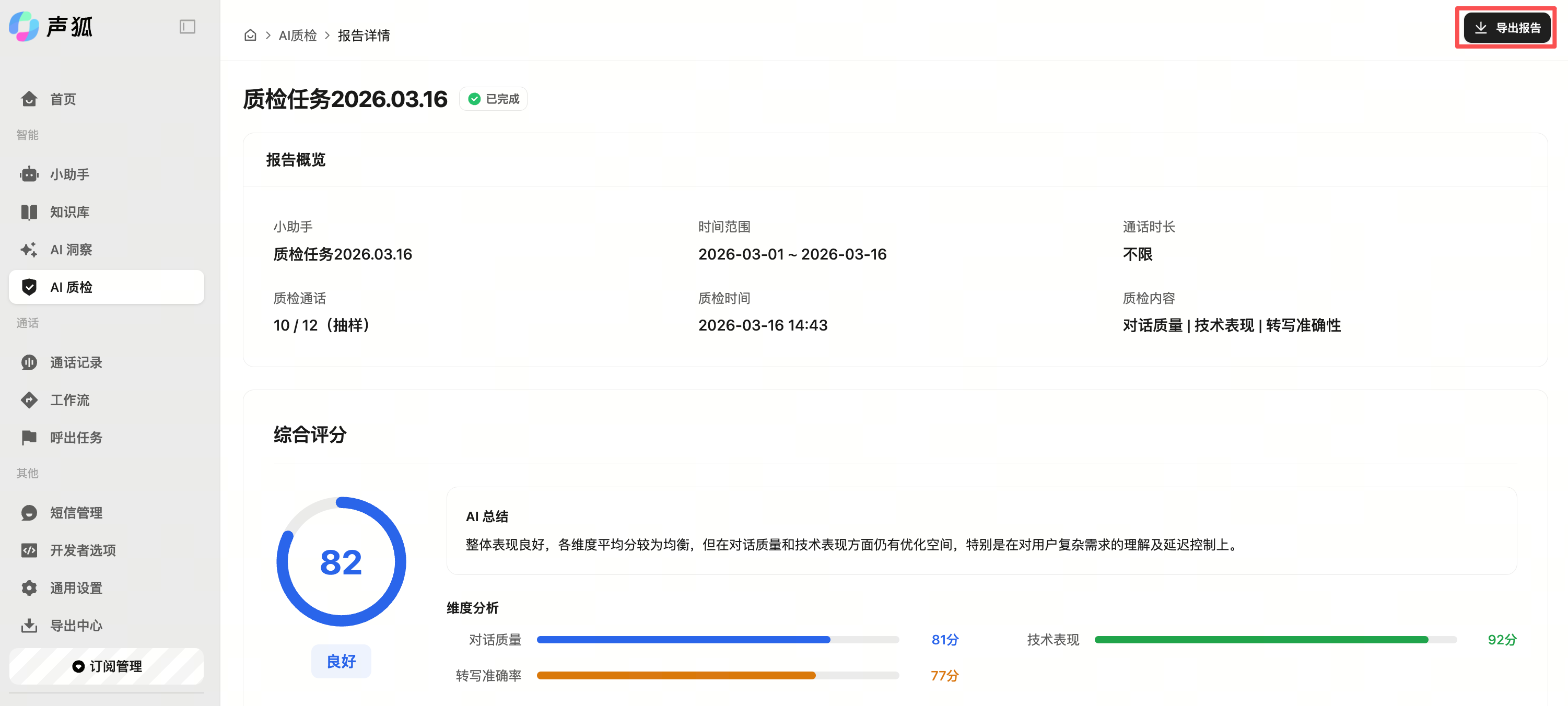
View report
After completion, view inspection data, issue causes, improvement suggestions, and export reports from task management.
Optimization
Inspection suggestions should be reviewed together with recordings and business context. Repeated low-score issues should lead back to prompt, knowledge base, voice, or workflow configuration.